
The first time a client from Hannut called me to say he was selling his jars of jam as far as Ostend thanks to his online store, I understood one simple thing: a Walloon business is no longer condemned to wait for passers-by in front of its shop window. The web has erased the border between the village street and the whole country. But between the desire to sell online and a store that genuinely runs, there is a precise path, with its very Belgian traps.
I am an independent web and mobile developer, based in Hannut, and I have been supporting Walloon shopkeepers and SMEs in their digital projects for more than 15 years. I have set up stores for artisans, local producers, neighbourhood shops. And every time, the same questions come back: which platform, how to handle VAT, which payments to offer, how to deliver without giving away the margin.
In this article, I give you the 7 steps to launch an e-commerce website in Belgium in 2026, from testing your offer to the first euro collected. I also add a section on the budget, a detailed Shopify versus WooCommerce comparison, and the mistakes I see most often. The idea is not to drown you in theory, but to give you a roadmap you can follow this very week. And since an online store remains above all a website, my complete guide to website creation in Belgium lays the foundations that also hold for your future e-commerce.
Step 1: validate your offer and your positioning before anything else
Before writing a single line of code or choosing a button colour, ask yourself the real question: who will buy, and why from you rather than elsewhere? I have seen too many projects start with the logo and end up wondering, six months later, why nobody orders. Online commerce does not forgive a fuzzy offer.
Take the example of a florist in Waremme. She could sell bouquets "like everyone else", or position herself on compositions for weddings and events within a 30 km radius. The second choice is narrower, but much clearer for the customer and for Google. A sharp positioning is half the sales work already done.
To validate your offer without building everything, I advise testing upstream:
- A simple page describing the product, the price and the promise, before even having a complete store.
- Pre-orders or a waiting list, to see whether people are ready to take out their card.
- Your existing channels: if you already sell in a shop or at markets, ask your customers whether they would buy online.
Also define your real margin, delivery and payment fees included. A €12 product that costs you €8 to make will not support €5 of shipping and €0.40 of payment commission. Better to know before the launch than after the first loss-making orders.
Finally, look at what your competitors do, online and in shops. Not to copy, but to spot the niche they leave empty. A Hannut baker who delivered breakfast boxes at the weekend would occupy terrain the supermarket does not cover. The more precise your angle and the more anchored in a real need, the more your store will have an argument nobody else can take over.
Step 2: choose the platform, Shopify or WooCommerce
It is the question that comes back most often. The right answer depends on your profile, your budget and your appetite for getting your hands into the engine. There is no "best" platform in the absolute, only a platform suited to your situation. Here is how I generally decide with my Walloon clients.
Shopify is a hosted, turnkey solution. You pay a monthly subscription and everything works: hosting, security, updates, support. It is the option I recommend to a merchant who wants to sell fast, without worrying about the technique. The trade-off is a monthly rent and an ecosystem of paid apps that can weigh down the bill.
WooCommerce is a WordPress extension, open source. You own everything, you personalise without limit, and you pay no platform subscription. In exchange, you manage the hosting, the backups and the updates, or you entrust that to a developer. It is my choice when a client wants a custom store or a very strong blog alongside.

Other options exist, like PrestaShop, very widespread in Belgium and France, or all-in-one solutions like Wix. PrestaShop remains solid for large catalogues, but demands more upkeep. Wix helps out for small stores, but quickly shows its limits as soon as you want to grow. For the vast majority of the businesses I support, the real duel is between Shopify and WooCommerce.
If you are still hesitating on the project's overall budget before choosing, I detail the ranges in my guide to website prices in Belgium. It will give you a numbered frame to decide calmly.
Step 3: design product pages that actually sell
Your product page is your salesperson. In a shop, you answer the questions, you reassure, you show. Online, it is the page that does all that work in your place. A botched page is an abandoned basket. A polished page is a sale that closes by itself at 11pm on a Sunday evening.
Photos that spark desire
The photo is element number one. The customer cannot touch the product, so they buy with their eyes. Several angles, a close-up detail, the product in situation. For an artisan chocolatier of the region, showing the praline in hand rather than alone on a white background changed everything. No need for a €2000 studio, a good smartphone and natural light are often enough.
A text that speaks benefits, not specifications
Do not just list "cotton 200 g/m²". Say "a thick sweatshirt that keeps you warm at the stadium on a November Saturday". The customer buys a sensation, a use, a solution to their problem. Keep the technical specifications, they reassure, but put the benefit up front.
Visible reassurance elements
Clearly display the price VAT included, the delivery times, the right of return and a way to contact you. In Belgium, a customer who sees a phone number and a real address in Hannut feels more confident than with an anonymous store. Transparency sells.
Step 4: configure the payments, Stripe and Bancontact
This is where many Belgian projects fall over. A magnificent store that does not offer Bancontact is like a shop refusing the country's most used card. In Belgium, Bancontact is quite simply the reference payment method for online purchases. If you do not offer it, you lose sales, full stop.
Concretely, here are the payment methods I recommend activating for a Belgian store:
- Bancontact: indispensable, it is the reflex of the majority of Belgian buyers.
- Credit and debit cards (Visa, Mastercard): for customers outside Belgium and those who prefer the card.
- PayPal: reassures a share of buyers, useful internationally.
- Bank transfer or instalment payment depending on your average basket.
To collect the money, you have the choice of several providers. Stripe handles Bancontact, cards and many other methods very well, with clean integration on Shopify as on WooCommerce. In Belgium, solutions like Mollie are also very popular, precisely because they were born in the Benelux ecosystem and handle Bancontact natively. Both are reliable; the choice often comes down to the per-transaction fees and the ease of integration.
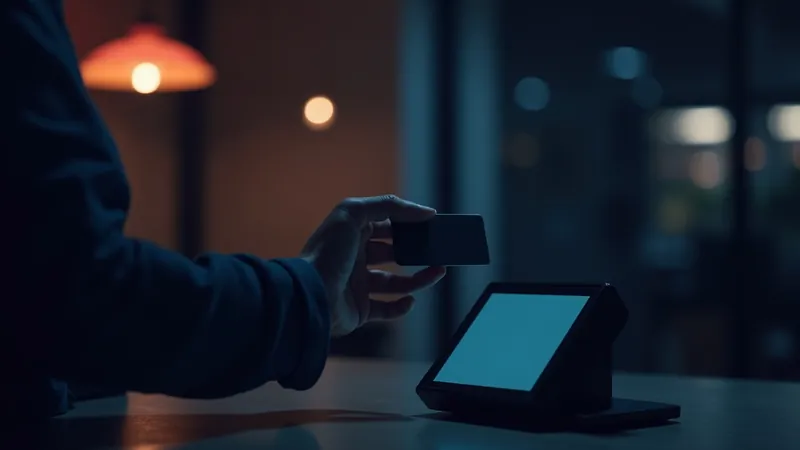
Take care of the checkout too. Every useless field, every extra step scares customers away. No compulsory account creation before buying, a payment in two or three clicks, and the Bancontact logo clearly visible. The payment moment is the most fragile of the whole visit: that is where the money is lost if you complicate things.
The essentials on Belgian payments
Activate Bancontact from day one, it is non-negotiable for a store in Belgium. Add the classic cards and PayPal to close no door. Choose a provider (Stripe, Mollie) based on per-transaction fees and simplicity, then test a real payment yourself before launch, from the "Add to basket" click to the confirmation email.
Step 5: handle delivery and logistics in Belgium
Delivery is often where the margin melts. A customer wants to pay as little as possible, sometimes nothing at all, and receive fast. Your role is to find the balance between an attractive offer and fees your business can bear. In Belgium, you have good partners at hand.
The carriers to know
- bpost: the national mainstay, reliable for home parcels and parcel points across the country.
- Mondial Relay: very useful for parcel-point delivery at a reduced price, popular for small and medium parcels.
- European carriers (DPD, GLS, and others): to consider if you also target the Netherlands, France or Germany.
My field advice: offer at least two options, home and parcel point. The parcel point is often cheaper and many buyers prefer it, especially in villages where nobody is home during the day. For a producer of the Namur region who delivered baskets, switching part of the dispatches to the parcel point clearly reduced the transport bill.
Free shipping or not?
Free delivery increases sales, but it must be financed. Two approaches that work well: building the shipping cost into the product price, or offering free delivery above a certain order amount, for example €50. That threshold moreover nudges the customer to add an item to reach it. Always announce the fees as early as possible: a bad surprise at payment is the number one cause of basket abandonment.
Think also of packaging and stock. A product that arrives broken is a return, a refund and a lost customer. And keep track of your stock so you do not sell what you no longer have. If you handle many orders, automating certain tasks via WhatsApp can save you precious time on customer follow-up and dispatch confirmations.
Finally, take care of the moment of receipt, because that is often where the repeat purchase is decided. A clean parcel, a little note slipped into the package, an email announcing the order has left with a tracking link: these details cost little and leave a lasting mark. A customer who had a good delivery experience comes back and talks about it. In a local business, word of mouth remains one of your best channels, and it starts in the box you dispatch.
Step 6: get legally compliant, VAT, terms and GDPR
It is the part nobody likes, but it protects your business and your customers. In Belgium and across the European Union, an online store has clear obligations. Good news: once in place, these are elements you configure once and keep up to date. Here are the points not to miss.
Belgian VAT
If you sell as a professional, you are in principle subject to Belgian VAT. The standard rate is 21%, with reduced rates for certain products, like food. Your prices displayed to the consumer must always be VAT included. If you sell to consumers in other EU countries, specific rules apply beyond a certain turnover threshold. For these questions, talk to your accountant: it is their trade and they will spare you nasty surprises.
The legal notices and terms of sale
Your store must display complete legal notices: company identity, company and VAT numbers, address, contact. You must also publish clear terms and conditions of sale. And a crucial point in Europe: the 14-day right of withdrawal. The consumer can send back most products within 14 days without having to justify themselves. Your store must explain it in black and white, with the return procedure.
GDPR and customer data
As soon as you collect an email, an address or a purchase history, you are processing personal data. The GDPR requires a clear privacy policy, consent for non-essential cookies and the possibility for the customer to access their data or delete it. To understand the official principles, the European framework on data protection is a good starting base. Do not copy a policy found at random: adapt it to what you actually collect.
Step 7: launch, rank and get the store known
Putting the store online is not the finish, it is the start. The hardest part begins: bringing visitors and turning them into customers. A store without traffic is a shop built in the middle of a desert. Here is how I structure the launch with my clients.
Organic search (SEO)
Work on your product pages and your category pages so they answer your customers' searches. A clear title, a unique description, correctly named images. Avoid texts copied from the manufacturer, Google ignores them. For solid basics, Google's official SEO documentation remains an honest, free reference.
Local SEO and regional visibility
Even selling everywhere, local anchoring is an asset. A Liège customer looking for your type of product "near them" must find you. Take care of your Google listing and your local pages: my guide to local SEO in Wallonia explains precisely how to attract customers searching near home on Google. If you are in the region, my page on website creation in Liège shows how I work on regional visibility, and the same principle holds for your store.
Advertising and social media
At launch, SEO takes time to bear fruit. Online advertising and social media give an immediate acceleration. A campaign targeted at your region, a few posts showing your products in situation, and an email to your existing clientele often make the first sales. Combine the short term (advertising) and the long term (SEO) so as not to depend on a single channel.
How much does an e-commerce store cost in Belgium?
The budget question always arrives, and that is normal. I prefer giving honest ranges rather than a magic figure. The cost depends on the number of products, the level of personalisation, and who does the work. Here are realistic orders of magnitude for the Belgian market in 2026.
For a professional e-commerce store, well built and ready to sell, I work from €890. That budget covers a clean, responsive store, with Bancontact configured, the legal pages in order and a starting catalogue. It is an investment, not an expense: a store that converts pays for itself with the sales.
Alongside the development, plan for recurring costs:
- Platform subscription (if Shopify) or hosting (if WooCommerce).
- Domain name, a few dozen euros per year.
- Payment fees, a small percentage per transaction.
- Maintenance and evolutions, according to your needs.
Beware of offers that are too good. A very cheap store often hides a botched template, no optimisation and zero support. Conversely, you do not need a big-brand budget to start. The important thing is investing where it counts: conversion, payments, and a healthy base on which to grow. To compare with other types of projects, my article on real web budgets in Belgium details seven costed scenarios.
Shopify versus WooCommerce, the detailed comparison
Let us come back to the central duel, because the platform choice structures everything else. Here is how I compare the two, point by point, with my clients.
Ease of getting started
Shopify wins hands down. You create an account, choose a theme, add your products and you sell. WooCommerce requires installing WordPress, the extension, a compatible theme, then configuring each brick. For a hurried, non-technical merchant, Shopify is gentler. For a project supported by a developer, the difference fades.
Cost over time
Shopify is a regular, predictable monthly rent, but one that runs as long as the store exists, and the paid apps add up. WooCommerce has a potentially higher entry cost in development, but no platform subscription. Over several years, WooCommerce often works out cheaper for whoever has a technical base or a trusted provider.
Freedom and ownership
With WooCommerce, you are at home. You own the code, the data, and you personalise without limit. With Shopify, you are the tenant of a platform: very comfortable, but you follow its rules and its ecosystem. For a business that wants very specific features, WooCommerce's freedom is precious.
My practitioner's verdict
If you want to sell fast, without technical hassle, and the monthly rent does not bother you, go with Shopify. If you want a custom store, to own your tool and to master the costs over the long term, choose WooCommerce and get supported. In both cases, the most important thing remains the quality of the execution, not the platform's logo. A badly made Shopify store sells less than a polished WooCommerce store, and vice versa.
The frequent mistakes that sink an online store
After years of setting up and repairing stores for Walloon merchants, I keep finding the same mistakes. Knowing them is already avoiding them. Here are the ones that cost the most.
- Forgetting or hiding Bancontact. In Belgium, it is a serious fault. The customer wants to pay with their usual reflex.
- Shipping fees that pop up at the last moment. Announce them early, or the basket flees.
- Poor product pages, one blurry photo and three words of description. The salesperson is not doing their job.
- A slow store, especially on mobile, where the majority of purchases happen. Every second of loading loses customers.
- No strategy to bring traffic. Going online is not enough, you have to make people come.
- Neglecting the legal side: no clear terms, the 14-day right of withdrawal missing, incomplete legal notices.
The good news is that none of these mistakes is a fatality. They almost always come from a rushed launch or a lack of support. A store designed from the start with these points in mind takes off on much better foundations. And if yours is already running but converting badly, a targeted redesign can often unblock the situation without starting over.
Want a concrete look at your project? I always offer a no-obligation exchange to frame things. You can see all my digital services or contact me directly, I answer fast and without jargon.